Reference

Open Esports Dota 2 Markets

bolaselot88 puts Esports Dota 2 match winner, map winner, and series score selections in one market view, so you can read the fixture before choosing an entry.

Match winner marketsMap winner selectionsSeries score optionsMobile fixture view
bolaselot88 Open Esports Dota 2 Markets
bolaselot88 Browse Dota 2 Match Choices

Browse Dota 2 Match Choices

Esports Dota 2 centres on team-versus-team matches played across one or more maps, with each side building a draft around heroes, lanes, objectives, and late-game fights. We present the available match, map, and series selections beside the fixture details so you can distinguish a single-map choice from a full-series outcome. Rather than treating every event alike, the lobby separates Dota 2 from

football, badminton, and basketball pages. Open your account, complete the phone check, and use the esports category to reach the current Dota 2 board.


MARKET DETAILS

Explore Three Dota 2 Angles

Different Dota 2 market types answer different questions about the same fixture.

Updated today
bolaselot88 Match Winner
SERIES

Match Winner

Match winner selections focus on which team takes the complete Dota 2 fixture. Use this view when your reading is based on broader team form, drafting depth, and the ability to adapt across several maps.

bolaselot88 Map Winner
MAPS

Map Winner

Map winner selections isolate one scheduled map rather than the whole series. The market label helps you check the map number first, which matters when a team’s approach changes after an earlier result.

bolaselot88 Series Result
SCORE

Series Result

Series result choices concern the final map score, such as a clean sweep or a longer contest. We place these beside standard match selections so you can compare the required outcome without changing screens.

Choose Dota 2 Market Rules

Each Esports Dota 2 entry follows the market condition shown on the fixture card.

Fixture First

Open the Dota 2 fixture before making a selection and check whether it is a single map or a multi-map series. That distinction determines which result will settle the market you selected.

Market Labels

We keep labels such as match winner, map winner, and series score visible in the same market area. Reading the label before adding a choice avoids confusing a map result with the full fixture outcome.

Selection Slip

Your selected Dota 2 market appears in the slip before confirmation. Recheck the team name, map number, and displayed terms there, then remove or adjust a choice if it does not match your intended entry.

Mobile Controls

On a phone, fixture rows expand into market groups instead of forcing a wide desktop layout. Tap the Dota 2 event, choose a group, and return to the slip through the fixed screen control.

CLEAR CONDITIONS

Check Dota 2 Market Facts

Esports Dota 2 is a match-market category, not a slot with a return-rate display or a volatility meter.

Auto-refresh hourly
bolaselot88 Game Type

Game Type

92%

Esports Dota 2 uses event markets based on scheduled competitive matches.

bolaselot88 Volatility

Volatility

97%

A volatility label does not apply to Dota 2 match markets.

bolaselot88 Supported Devices

Supported Devices

96%

The Dota 2 board is available through mobile and desktop browser views after account access.

bolaselot88 Access Region

Access Region

95%

Access to Esports Dota 2 depends on local law.

RTP percentages are informational reference values from provider documentation. Actual session outcomes vary.

PHONE FIXTURE FLOW

Switch To Dota 2 Mobile

A phone view keeps Esports Dota 2 practical when you want to check one fixture without opening a broad sportsbook screen.

bolaselot88 mobile gaming
Tap esports category
Expand fixture markets
Keep slip in view
Use verified account
FIXTURE HELP

Get Help With Dota 2

When a Dota 2 fixture, market label, or account screen needs clarification, use the help route connected to your logged-in account. Give us the fixture name, map number, and the market shown in your slip so we can locate the right detail. Keep account access questions separate from event-result questions.

Team online

Market Label Check

If a Dota 2 label is unclear, send the fixture name and the exact market text shown on screen. We can help you identify whether the selection refers to a match, map, or series score condition.

Fixture Status

For an event status question, include the scheduled Dota 2 fixture and map reference where shown. This gives our account help path the detail needed to check the market display without guessing which event you mean.

Account Access

If the esports category does not open after login, check that phone verification is complete first. Share the access screen message through the account help path so we can focus on the Dota 2 lobby route.

SETTLEMENT CLARITY

Check How Dota 2 Settles

Clear Dota 2 markets depend on visible fixture names and stated result conditions, not broad promises. We present each selection with the event context needed to understand what is being measured.

Visible Fixture Names

Each Dota 2 market is attached to a named fixture in the esports category. Checking both team names before confirmation helps ensure your selection belongs to the match you intended to open.

Stated Conditions

Market wording describes the outcome used for settlement, whether that is a complete match, one map, or a series score. We keep this condition visible next to the selection rather than hiding it elsewhere.

Map References

Where a Dota 2 market concerns an individual map, the displayed map reference separates it from series-wide choices. Read that reference carefully when comparing several selections from the same fixture.

Result Matching

Settlement follows the stated Dota 2 market condition and the completed event result. Your selection slip provides a final place to compare the chosen team and market wording before you confirm an entry.

Account Verification

Phone verification occurs before account access to the lobby. This account step helps us keep the Dota 2 market path connected to the same login you use on mobile or desktop.

Regional Access

Esports Dota 2 availability depends on local law. We apply the same access wording before the market board opens, so you can understand the regional condition attached to the lobby route.

LOBBY COMPARISON

Compare Dota 2 With Siblings

Esports Dota 2 is built around competitive match outcomes, which makes it different from the other focused pages in our lobby.

01

Esports Dota 2

Dota 2 focuses on scheduled esports fixtures with match winner, map winner, and series score selections. It suits you when you follow teams, drafts, objectives, and the changing shape of a multi-map contest.

02

Aviator Mobile Play

Aviator Mobile Play is a separate fast-round title rather than a team esports fixture. Its screen rhythm differs from Dota 2 because there are no maps, team names, or series outcomes to compare.

03

Fortune Fishing Game

Fortune Fishing Game uses a fishing-room format with target-based screen action. Dota 2 instead presents competitive event markets, where the relevant details are fixtures, maps, teams, and stated result conditions.

04

Live Roulette Diamond

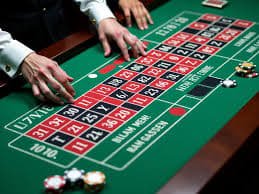
Live Roulette Diamond is a dealer-table title with roulette outcomes and table controls. Esports Dota 2 has no wheel or dealer table; its selections relate to the final result of competitive Dota 2 events.

05

Badminton Sudirman Cup Bet

Badminton Sudirman Cup Bet follows badminton fixtures and their sport-specific outcomes. Dota 2 uses esports match structures, including maps and series scores, so the event language and reading process are different.

06

Football Markets

Football markets concern football matches and their listed outcomes. Dota 2 markets are separated in the esports category, making it easier to focus on teams, map stages, and series conditions without mixing sports fixtures.

07

Basketball Markets

Basketball markets follow basketball events rather than Dota 2 maps. If you want to track drafting, objective control, and a series result, use the Esports Dota 2 page instead of the basketball category.

DOTA 2 FOCUS

Browse Six Dota 2 Highlights

The Esports Dota 2 board is most useful when every fixture detail has a clear place.

Team Matchups Team names appear with the Dota 2 fixture so you…
Map Structure Map-based selections show that the result applies to a particular…
Series Outcomes Series score markets focus on the final score pattern across…
Category Access The esports category keeps Dota 2 away from football, badminton…
Mobile Reading Mobile fixture groups let you open one Dota 2 event…
Account Check A clear phone verification step comes before Dota 2 lobby…

Ask About Dota 2 Access

These common questions focus on how Esports Dota 2 appears in our lobby, how its market labels work, and what to check before an entry. For a fixture-specific issue, use the account help route with the event name and the market wording visible on your screen.

Esports Dota 2 is our category for competitive Dota 2 fixtures and their listed markets. You can view match winner, map winner, and series score selections after opening your account and completing phone verification for lobby access.

Log in, complete the phone verification step if prompted, then open the esports category from the lobby. Select a Dota 2 fixture to see its available market groups, including match, map, or series-related choices where listed.

A match winner selection concerns the team that takes the full Dota 2 fixture. A map winner selection concerns only the named map, so check the map reference shown beside the market before adding it to your slip.

Yes, the Esports Dota 2 fixture board is available through the mobile browser view after account access. Tap the esports category, open the fixture, expand a market group, and keep the selection slip visible while comparing choices.

A series score market requires the displayed final score pattern across the scheduled maps. It is more specific than choosing the overall match winner, so read the market condition and team names in your selection slip before confirmation.

First check that your account phone verification is complete, then try the esports category again after logging in. Esports Dota 2 availability depends on local law, so access may only appear where local law permits.

Use the logged-in account help route and include the Dota 2 fixture name, map number if shown, and exact market label. Those details let us identify whether your question concerns a match winner, map winner, or series score selection.